AVX Manager

Monitor and Manage

AVX Manager ImageAVX Manager

AVX Manager™ brings incredibly powerful management to HARMAN Professional devices with HControl. Instead of configuring devices one-by-one, AVX Manager allows large numbers of devices to be configured simultaneously, either locally or remotely.

Download AVX Manager

Production Release Coming Soon

Device Auto-Discovery

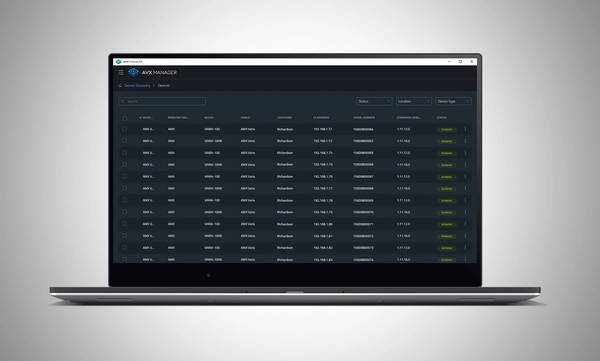
Compatible HARMAN devices on the network are automatically discovered and added to Manager for at-a-glance status monitoring and access to configuration.

Settings Configuration

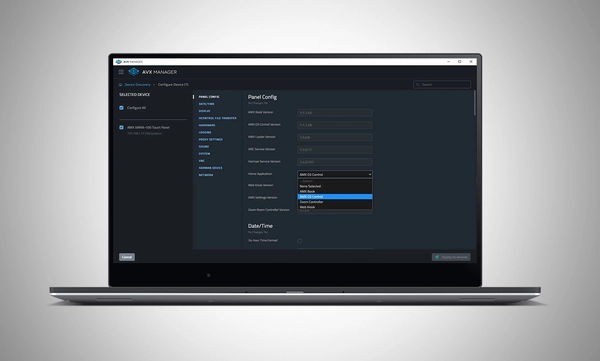
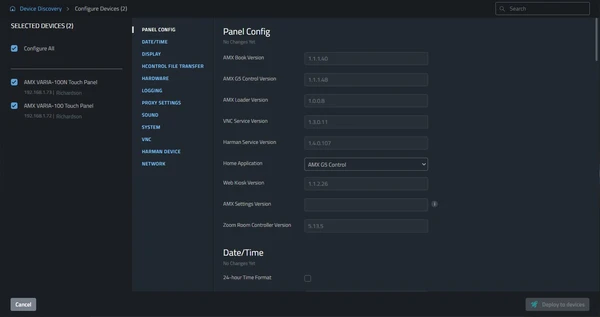
Individual devices, entire installations, or any size device group can be configured simultaneously. This cuts deployment time and reduces opportunities for error.

Firmware Updates

Deploy firmware updates to any device or any collection of devices on the network without the need for device specific software.

CONFIGURACIÓN EN MASA.

IMPLEMENTACIÓN EN MASA.

SIMPLIFICADO MASIVAMENTE.

Device Auto-Discovery

Compatible HARMAN devices on the network are automatically discovered and added to Manager for at-a-glance status monitoring and access to configuration.

Settings Configuration

Individual devices, entire installations, or any size device group can be configured simultaneously. This cuts deployment time and reduces opportunities for error.

Firmware Updates

Deploy firmware updates to any device or any collection of devices on the network without the need for device specific software.

CONFIGURACIÓN EN MASA.

IMPLEMENTACIÓN EN MASA.

SIMPLIFICADO MASIVAMENTE.

Características

  • Device Auto-Discovery – Compatible HARMAN devices are automatically discovered on the network
  • Settings Configuration – Configure device settings for any number of devices simultaneously
  • Firmware Updates – Deploy firmware updates to any device or any collection of devices on the network
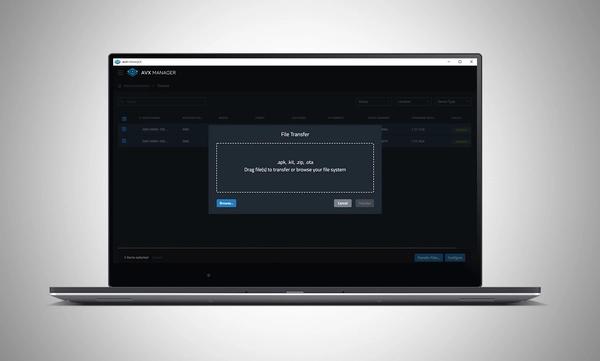
  • File Transfer – Transfer files to devices

Descargas

Brochures
  Idioma Tamaño Subido
file type icon BSS OMNI Brochure
en actualizado: jul 2026
en  3,85 MB jul 2026

Si alguno de los enlaces anteriores muestra caracteres extraños en su navegador, haga clic con el botón derecho en el archivo para guardarlo en su computadora.

Soporte/FAQs